


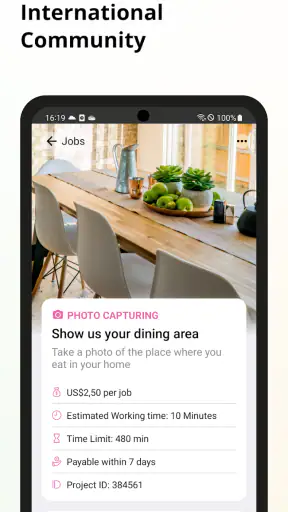

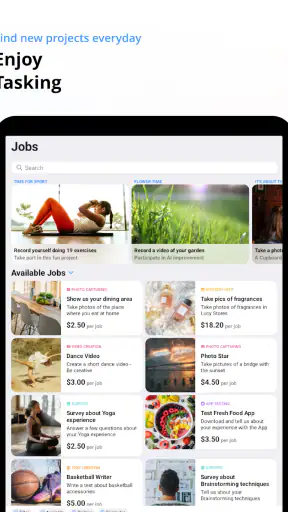
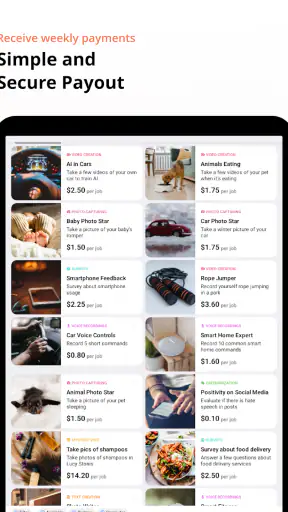
I approached clickworker as a practical way to turn spare moments into small pieces of paid online work, rather than as a replacement for a regular job. That distinction matters from the first minute. The app, developed by clickworker GmbH, belongs to the business category and is free to install, with an Everyone content rating. Its basic idea is simple: open the app, look for available assignments, complete the instructions carefully, and submit the result for review.
That sounds straightforward, but the useful question is what the complete journey feels like in everyday life. I found the app most interesting when I treated it as a flexible task board rather than a guaranteed income source. The work can involve surveys, online research, or audio and video recordings, so the experience changes depending on what is available and whether a particular assignment suits my time, surroundings, and phone.
The app has built a substantial audience, with over five million installs and an average rating of 4.1 from around 121 thousand ratings. Those figures suggest that it is not an obscure experiment, but they should not be interpreted as a promise that every user will find constant work. Availability, task requirements, and the effort needed for each assignment are more important to my personal result than the download count.
From an empty moment to a submitted task
Starting with the right expectation
My first useful decision was to define when clickworker belongs in my routine. It makes sense during a commute without driving, while waiting for an appointment, or during a quiet period when I can concentrate for a few minutes. It makes much less sense if I need predictable hourly earnings, immediate payment, or a fixed schedule. The app offers flexibility, but flexibility also means that the next suitable task may not appear exactly when I want it.
I would also avoid opening it with the assumption that every listing is worth accepting. A short survey may fit a waiting room, while a recording assignment may require a quiet place and more preparation. Online research can demand careful reading rather than quick tapping. The first step in the workflow is therefore not choosing the first available job; it is matching the task to the situation around me.
This is one of the less obvious strengths of the app. Because the work types are varied, I can think in terms of available attention. If I have only a few uninterrupted minutes, I look for something simple. If I am at home with a quiet room, an audio or video assignment may be more realistic. That approach prevents the common mistake of starting a task that I cannot finish properly.
Finding an assignment without wasting the available time
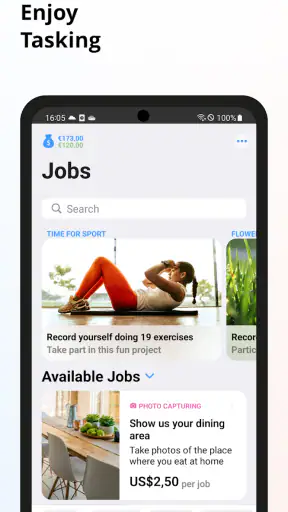
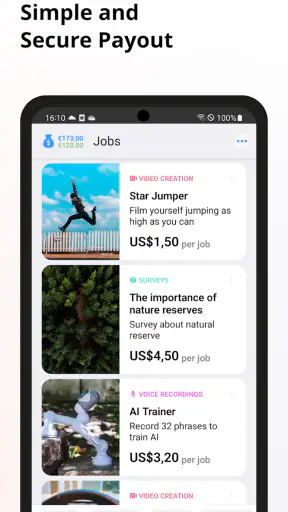
After opening the app, I would inspect the task area before committing. The important details are not just the headline or apparent reward. I want to understand what the assignment asks me to produce, whether it involves location or environmental requirements, and how much concentration it is likely to take. A task that looks brief can become inconvenient if it requires repeated attempts, specific wording, or a setting I cannot reproduce.
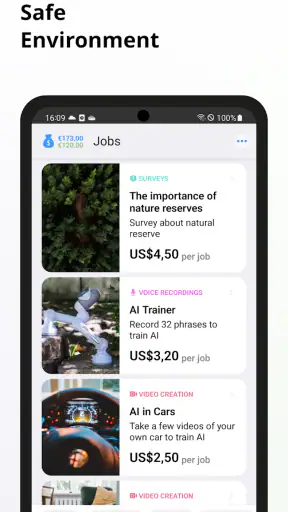
The app’s store summary mentions surveys, online research, and audio and video recordings, and those categories create very different workflows. Surveys are usually easier to fit around other activities, but they can still become frustrating if screening questions remove me after I have spent time reading. Research tasks reward patience and accuracy. Recording work adds another layer because the final quality depends on background noise, lighting, framing, and following the requested format.
I found it helpful to treat the instructions as a checklist rather than casual reading. Before beginning, I would note the required subject, the expected response, and any submission conditions. This is especially important for recording tasks: a technically usable clip can still fail to meet the brief if the framing, speech, or surroundings are wrong. Reading first is faster than discovering the requirements after recording.
Completing the work and protecting accuracy
Once I accept a task, the handoff is from the app to me: the platform supplies the assignment, but I supply the judgment and the finished material. That means clickworker is not a passive earning tool. It does not remove the need to interpret instructions, check details, or decide whether my surroundings are suitable.
For surveys, I would answer consistently and avoid rushing through questions simply because the assignment appears easy. For online research, I would verify that I am responding to the exact question instead of giving a broadly related answer. For audio or video, I would make a short test recording before completing the real submission. This small step can reveal noise, poor positioning, or an unclear voice before I spend more time.
The best workflow is to optimize for accepted work, not the largest number of opened tasks. Starting several assignments and abandoning them wastes attention. Completing fewer tasks carefully is more sensible when the work includes review or quality checks. The app rewards a methodical approach more than impulsive tapping.
Handling the handoffs between person and platform
There are several handoffs in a typical clickworker session. The app presents the opportunity, I decide whether I can meet it, I create or enter the requested response, and the platform receives it for evaluation. Each handoff can introduce friction. A vague interpretation at the beginning can produce a poor submission at the end, even if the recording or answer itself looks polished.
My advice is to pause at each transition. Before accepting, ask whether the task fits the current setting. Before submitting, compare the finished work with the instructions line by line. After submission, keep expectations realistic: sending something does not make it equivalent to confirmed income. The platform still needs to process the result according to the task’s requirements.
This is also where the difference from ordinary survey apps becomes clear. A basic survey app usually keeps the user inside one narrow format. clickworker brings together several kinds of micro-work, which gives it more variety but also more responsibility. I cannot use exactly the same habits for a written research task and a video recording. The wider range is valuable only if I am willing to adapt.
What the result feels like in practice
The immediate result of a successful session is not simply the time spent in the app. It is a completed piece of work that has moved through submission and evaluation. That makes the experience more like a small freelance workflow than a digital scratch card. I need to contribute something usable, not merely interact with an offer.
In a realistic everyday scenario, I might open the app while waiting for a train that is delayed. I see a short research assignment and read the instructions before starting. The station is noisy, so I reject a recording task that would require clean audio. I complete the research work carefully, review the answer, and submit it before boarding. The useful outcome is not that I filled every spare minute; it is that I chose a task whose requirements matched the situation.
At home, the decision could be different. A quiet room and stable lighting make a recording assignment more practical. I would clear the background, check the camera position, rehearse the requested action or wording, and only then make the final recording. That preparation takes longer than tapping through a survey, but it can prevent an avoidable submission problem.
For me, this makes the app better suited to people who enjoy small, clearly bounded tasks. It can be a reasonable option for students, flexible workers, travelers, or anyone who wants to use occasional downtime productively. It is less suitable for someone who dislikes instructions, has unreliable connectivity, cannot provide a quiet environment when needed, or wants earnings that behave like a fixed wage.
Where the flow breaks
The main weakness is the gap between availability and personal suitability. A task may be visible but inconvenient because I am in the wrong place, lack privacy, or do not have enough uninterrupted time. The variety that makes the app attractive also creates inconsistency. One session may offer something easy to complete, while another may not fit my circumstances at all.
Another friction point is the effort-to-outcome calculation. I have to consider setup time, reading time, completion time, and the possibility that a task requires correction or does not pass evaluation. A recording that takes only a few minutes can demand additional preparation. A research assignment can look small but require careful checking. I would not judge value from the apparent task length alone.
There is also a psychological trap: opening the app repeatedly in search of a perfect assignment. That can turn flexible work into unproductive scrolling. I prefer setting a limit for each session. If nothing fits after a brief inspection, I close the app and return later rather than forcing a poor match. This is a practical way to protect the advantage of flexibility.
People comparing clickworker with traditional employment platforms should understand the difference in commitment. A job board is designed around applications, roles, and longer engagements. clickworker is more immediate and task-focused, but that also means less continuity from one piece of work to the next. Compared with a conventional survey service, it offers broader task types, while demanding more attention to instructions and submission quality.
Who should use it, and who should choose something else
I would recommend trying it if you want a free business app for occasional micro-work and are comfortable deciding whether a task is worth your time. The current version is 2.0.21 and supports devices running Android 8.0 or later, so Android users should check compatibility before planning around it. The app is available without an upfront price, which makes experimentation relatively easy.
I would skip it if your main requirement is dependable income on a timetable. I would also look elsewhere if you want a single specialized activity with minimal variation. Someone who only wants surveys may prefer a service built around surveys alone; someone seeking stable freelance projects may be better served by a platform organized around longer client relationships. clickworker occupies the middle ground: more varied than a simple questionnaire app, but less predictable than conventional paid work.
Privacy and surroundings deserve practical consideration too. Audio and video assignments are not tasks I would complete casually in a public place, especially when other people could appear or be recorded unintentionally. I would choose a controlled setting and review the frame or sound before submission. That is not merely a quality tip; it makes the workflow more respectful and reduces the chance of producing unusable material.
My final assessment after following the full workflow
clickworker works best when I treat it as a selective tool for spare time. The journey from finding an assignment to producing an acceptable result is more involved than the simple phrase “earn on the go” suggests, but that is not necessarily a flaw. Surveys, online research, and recordings give the app practical variety, and the free entry point makes it easy to see whether the available work suits me.
My honest recommendation is to begin with tasks that match your current environment, read every instruction before accepting, and keep a simple mental record of the total effort involved. Do not judge the app by one unusually convenient session or one frustrating task. Its value comes from repeated good choices: selecting suitable work, preparing properly, and stopping when the conditions are wrong.
With an Everyone rating and a large existing user base, it is approachable for a broad audience, but approachability should not be confused with guaranteed results. I see clickworker as a useful option for people who want flexible, varied micro-work and are willing to manage the handoffs themselves. If you want control over when you work more than certainty about what appears, it is worth trying; if you need predictable pay, it is probably the wrong tool.


